Company gives first look at Windows 10, highlighting enterprise advancements and open collaboration.
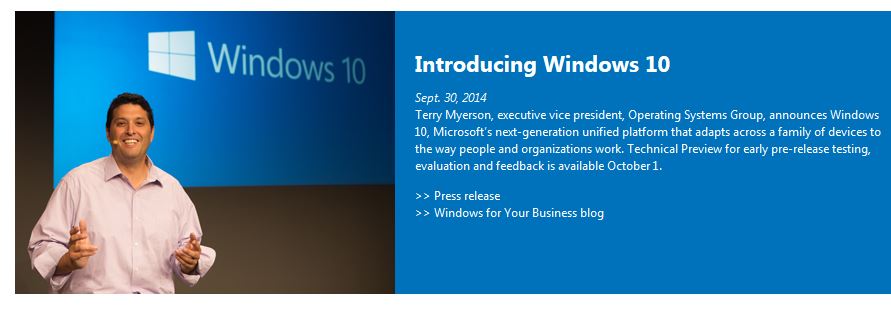
Microsoft Windows 10
Microsoft Corp. on Tuesday unveiled its next Windows operating system, Windows 10, and gave a first look at an early technical preview for the PC available Oct. 1. The announcement highlighted advancements designed for business, including an updated user experience and enhanced security and management capabilities. The company also introduced the Windows Insider Program, kicking off its largest-ever open collaborative development effort to change the way Windows is built and delivered to best meet the needs of customers. Program participants will receive the technical preview of Windows 10 and a steady stream of builds through the development cycle to use and give feedback on.
“Windows 10 represents the first step of a whole new generation of Windows, unlocking new experiences to give customers new ways to work, play and connect,” said Terry Myerson, executive vice president of the Operating Systems group at Microsoft. “This will be our most comprehensive operating system and the best release Microsoft has ever done for our business customers, and we look forward to working together with our broader Windows community to bring Windows 10 to life in the months ahead.”
Windows 10: familiarity and consistency across devices
Windows 10 adapts to the devices customers are using — from Xbox to PCs and phones to tablets and tiny gadgets — and what they’re doing with a consistent, familiar and compatible experience, enabling even greater productivity. Windows 10 will run across the broadest range of devices ever from the Internet of Things to enterprise datacenters worldwide. Microsoft is also delivering a converged application platform for developers on all devices with a unified app store. Developers will be able to write an application once and deploy it easily across multiple device types, making discovery, purchase and updating easier than ever for customers.
Windows 10: designed for the challenges of modern business
Windows 10 builds nearly everything that businesses need right into the core of the product — including enterprise-grade security, identity and information protection features — in ways that can reduce complexities and provide better experiences than other solutions. One area of advancement is in the work Microsoft has done with user identities to improve resistance to breach, theft or phishing. Windows 10 will also help advance data loss prevention by using containers and data separation at the application and file level, enabling protection that follows the data as it goes from a tablet or PC to a USB drive, email or the cloud.
Management and deployment have been simplified to help lower costs, including in-place upgrades from Windows 7 or Windows 8 that are focused on making device wipe-and-reload scenarios obsolete. Businesses will also have the flexibility to choose how quickly they adopt the latest innovations and influence continued improvements. In addition, organizations will be able to customize an app store specific to their needs and environment. The intent is an app store that will allow for volume app licensing, flexible distribution, and the ability for organizations to reclaim or reuse licenses when necessary.
Technical preview PC productivity
The early technical preview of Windows 10 demonstrates new levels of flexibility, navigation and familiarity through the Windows experience. Features include these:
-
Expanded Start menu. The familiar Start menu is back, providing quick one-click access to the functions and files that people use most, and it includes a new space to personalize with favorite apps, programs, people and websites.
-
Apps that run in a window. Apps from the Windows Store now open in the same format that desktop programs do. They can be resized and moved around, and have title bars at the top allowing users to maximize, minimize and close with a click.
-
Snap enhancements. Working in multiple apps at once is easier and more intuitive with snap improvements. A new quadrant layout allows up to four apps to be snapped on the same screen. Windows will also show other apps and programs running for additional snapping, and it will even make smart suggestions on filling available screen space with other open apps.
-
New Task view button. The new Task view button on the task bar enables one view for all open apps and files, allowing for quick switching and one-touch access to any desktop created.
-
Multipledesktops. Instead of too many apps and files overlapping on a single desktop, it’s easy to create and switch between distinct desktops for different purposes and projects — whether for work or personal use.
Open and collaborative development
The introduction of the Windows Insider Program demonstrates Microsoft’s continued commitment to working closely with customers to help shape the future of Windows. Windows Insiders will be able to give feedback on early builds of the product throughout the development cycle. The program will include various ways for Windows Insiders to engage in a two-way dialogue with Microsoft, including a Windows Feedback app for sharing suggestions and issues and a Windows Technical Preview Forum for interacting with Microsoft engineers and fellow Insiders. More information on the Windows Insider Program and the technical preview can be found at http://preview.windows.com.

