Chantilly, VA — March 20, 2020 — Contex, the world leader in large format scanning, today announces a series of ten how-to video tutorials for the Nextimage scanning software. The tutorials provide step-by-step instructions to help new and experienced users to boost their scanning workflow while attaining top-quality results with their Contex large format scanners. The tutorials are available at Contex’s YouTube channel. 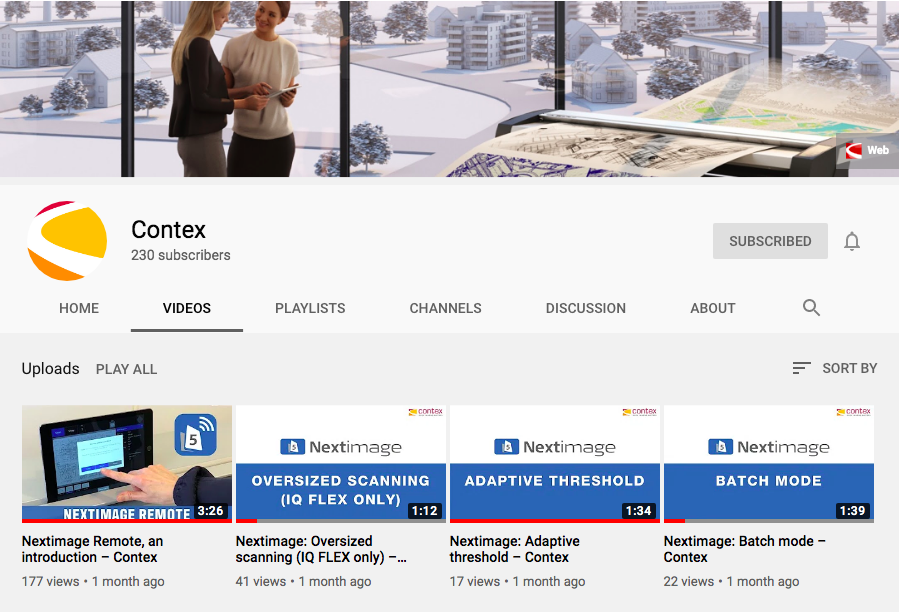
“With today’s circumstances, customers are setting up their large format scanners at home, making these tutorials extremely helpful,” comments Steve Blanken, General Manager, Contex Americas. “These videos provide useful guidance for basic and complex scanning projects, and customers can view them at their own pace. Our customer support team is also readily available to answer any questions that customers may have.”
The Contex video tutorials address the following topics:
- Batch mode: Tips and tricks on how to get the most out of the batch scanning feature.
- Adaptive threshold: Learn how to clean up backgrounds in line drawings.
- Applying borders: Instructions on how to apply borders.
- Soften/smooth: Tips on how to soften and smooth images.
- Rotate: Learn how to rotate in 90 degrees segments and fine-adjust with manual rotation increments of 0.1 degree.
- Auto black and white and creating presets: Learn how to improve scans with auto black and white, and how to make a new preset.
- Image cropping: Instructions on how to crop and save.
- Oversized scanning: A comprehensive guide on how to scan oversized documents.
- Paper handling: Get to know paper handling and the link between speed and image quality.
- Choosing settings: Guidance for choosing the correct settings, which can drastically speed up the scanning process.
Additionally, Contex published a general video, which shows an overview of the functions and possibilities of Nextimage software for its range of large format scanners.
For more information, visit www.contex.com or email salesamericas@contex.com.
About Contex
As the world’s leading developer and producer of large format imaging solutions, Contex drives the market with innovative technology and advanced scan and copy software applications. Sold worldwide in more than 100 countries, Contex solutions are recognized in a wide range of industries for reliability, value, high performance, and superb image quality. For more information, please visit www.contex.com.