There’s no arguing that OpenStreetMap (OSM) has exploded in use and popularity, heck, just look at the basemap layer options in any online web mapping services and you’ll see OSM as an option. Often considered the wikipedia of the mapping world, OSM is a fabulous basemap option for anyone and perhaps coolest of all, OSM has been built and maintained by you – the crowd!
I’m sure that many (if not most) of you have often wanted to mess around with OSM and add/edit some features but were a little lazy – I’m guilty! But now we have no excuse thanks to the new OpenStreetMap in-browser map editing tools available from the iD Editor (think HTML5) – see the official OSM blog for the announcement and details.
So, how exactly does it work?
- Well, to start you jump to http://www.openstreetmap.org/ then navigate to your favorite places or area of interest. For those of you wanting to try editing I suggest zoom in around your home, office, or other area that you know well.
- Look at.near the top left region of the browser (I’m using Chrome) and select the edit option. You’ll notice 3 options, the first one being Edit with iD (iD Editor for OSM http://ideditor.com) – this is the new, in-browser editor
- You’ll then be prompted to login. If you have an OSM account simply login, otherwise, create an account – its painless and supports OpenID
- when you select Edit in browser you’ll then notice that the map switches to a satellite view – vector layers will be shown on top of the imagery. Navigate where you need to be
- Add a Point, Line, or Area feature – think bike rack, bike trail, or bicycle park or store
- Add the feature and then select the feature type from the options presented and load any other relevant attributes
- Save – IMPORTANT!
- Once finished you’ll then have the option to share your edit via Twitter and/or facebook, go ahead and tell your friends!
- That’s it… keep on mapping ;0)
Pretty easy eh? Until now editing OSM was, well, a pain! IT wasn’t entirely hopeless but I ‘d say it was a little bit of effort and the UI wasn’t something you’d ask your mother to use. There’s a number of third party tools and options for editing OSM but I’m convinced once you try the new OSM editor you’ll be committed to helping grow the map and you may even want to get your Mom to help too since the new tools are so easy to understand and use!
Oh, and if you really don’t feel like adding or editing cartographic features you don’t have to, rather, you can always use the new "add a note" feature and drop a note with a little explanation of what you found or what you didn’t find – see details
The new OpenStreetMap Editor is so easy, I may just do some OSM map edits with my Mom this Mother’s Day!
Get started for yourself at http://www.openstreetmap.org
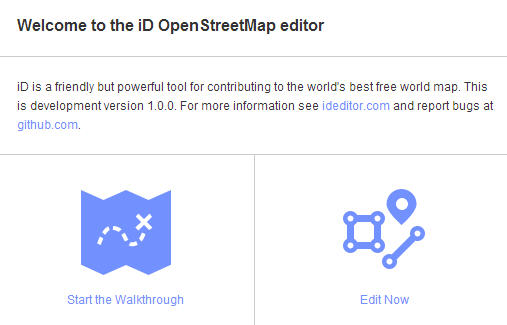
When you first visit the OSM website you’ll be presented with an optional demo


Editing features is so simple… add a point, line or area, include attributes, Save!


Once completed you can share your edits via Twitter or facebook


A sample Tweet


Shared via facebook also


Notice there are many features (like building footprints) not added. Every business should want to include their information in OSM!
From the foundation:
To accompany the expected growth in OSM’s contributor base, the OpenStreetMap Foundation is launching an appeal to fund new hardware for the project. The appeal aims to make the editing experience more resilient, so that the OSM community can continue producing the most extensive and up-to-date map of the world.
You can donate online at donate.openstreetmap.org.
Useful weblinks:
- OpenStreetmap
- OSM User blogs
- Official OSM blog
- OSM Editing Wiki
- ArcGIS Editor for OSM
- About the NodeID Project from MapBox
- iD Editor for OSM http://ideditor.com
- iD on github
- donate.openstreetmap.org
- Fuzzy Tolerance blog (@Mapperz) – iD is freaking awesome
