Watching your favorite Disney, Marvel, or Star Wars movies in 4K brings every frame to life with richer color, sharper detail, and immersive sound. But not every user knows how to actually enable or get Disney Plus to stream in 4K quality, or even how to make Disney Plus play indefinitely without interruptions. This guide explains everything you need to know, from supported devices and common problems to detailed steps for watching or downloading Disney+ content in true 4K Ultra HD.
Part 1: Is It Possible to Watch Disney Plus in 4K?
Yes, it is absolutely possible to watch Disney Plus in 4K. In fact, Disney+ offers thousands of titles in 4K Ultra HD, often with HDR10, Dolby Vision, and Dolby Atmos for enhanced visual and sound performance. However, to fully enjoy 4K playback, you must have the right subscription plan, compatible devices, and stable internet.
Part 2: Why Isn’t Disney+ Playing in 4K?
Sometimes, even with the right setup, Disney+ might only play in HD or lower resolution. Here are the most common reasons — and how to fix them.
- Your Plan Doesn’t Include 4K Streaming
- Your Device or App Is Not 4K Compatible
- Weak Internet Speed or Instability
- HDMI or Hardware Limitations
- Content Not Available in 4K
- Outdated App or Software
By fixing these issues, you’ll restore 4K quality on your Disney+ account and watch your favorite content in the best resolution available. If you’ve tried these fixes but still can’t stream in 4K, use a Disney Plus Video Downloader to save movies and shows in 4K for offline viewing.
Part 3: How to Watch Disney Plus in 4K
There are two effective ways to watch Disney+ in 4K — streaming directly through the app or downloading the content for offline playback using a 4K downloader tool.
Method 1: Watch Disney Plus in 4K More Flexibly
If you want full control over your viewing experience, including offline playback and flexibility across devices, Keeprix Video Downloader is the best option. It allows you to download 4K movies and shows from Disney+ to your computer and watch them anytime — even without an internet connection. This method gives you the freedom to watch Disney+ content offline in 4K, without buffering or quality loss. It’s perfect for travelers, limited-bandwidth areas, or anyone who prefers uninterrupted viewing.
Steps to Watch Disney+ in 4K Offline with Keeprix:
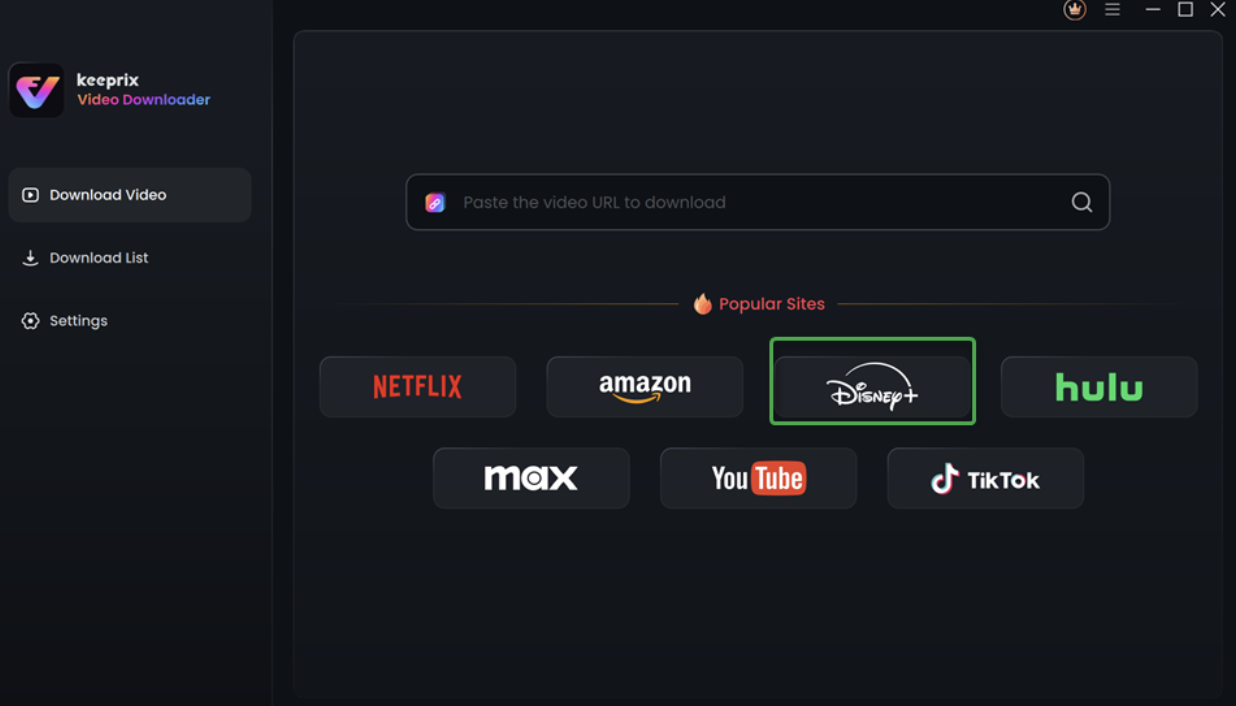
Step 1. Download and install Keeprix Video Downloader. Launch it, and select Disney Plus from the options.
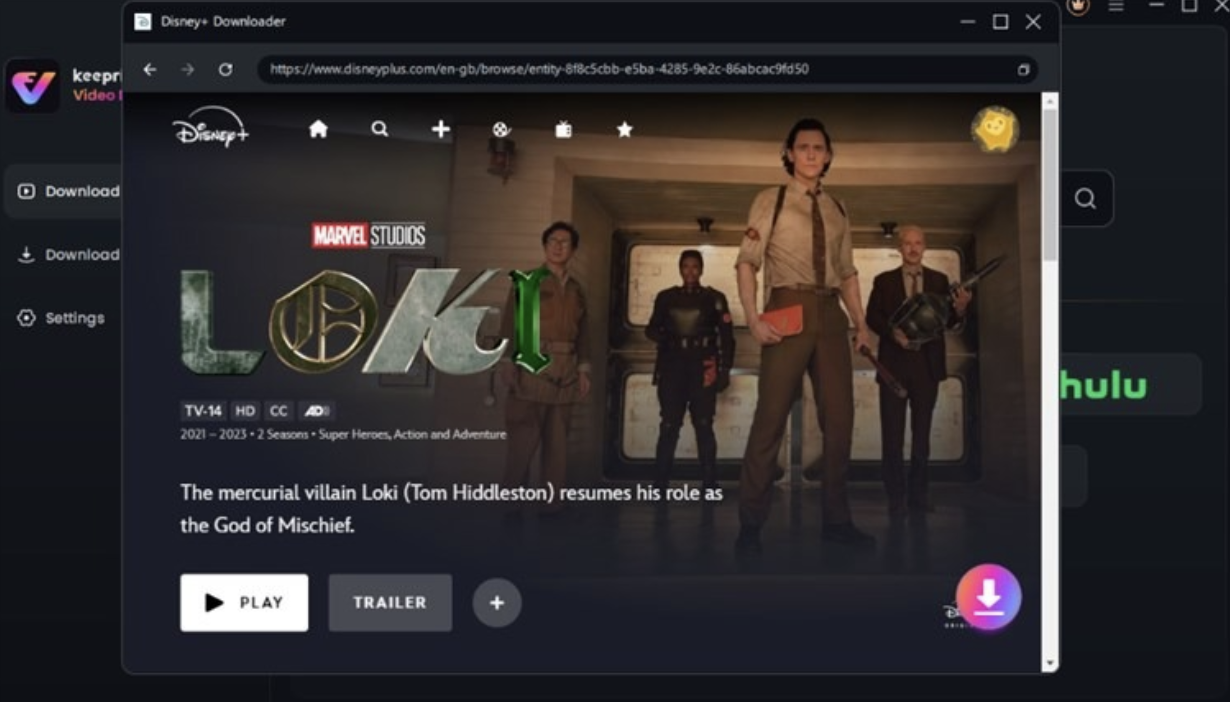
Step 2. Log in to your Disney+ account. Search for the movies you want, and click on the Download button.
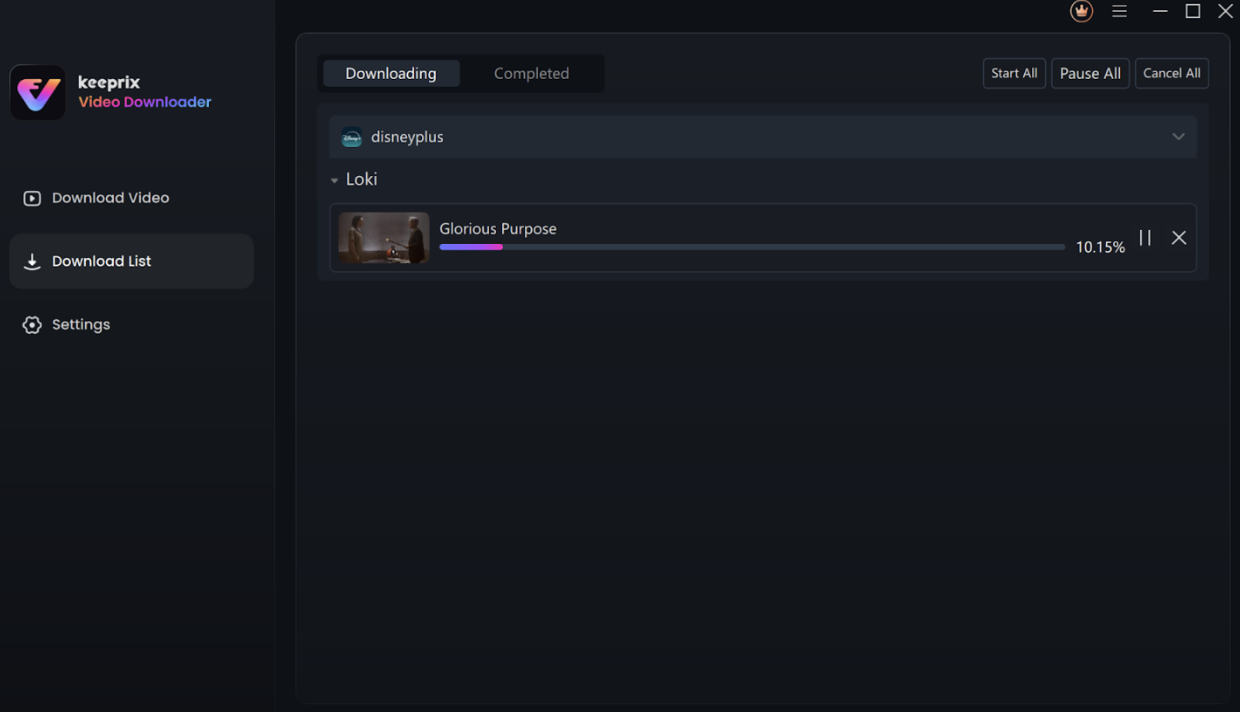
Step 3. The video will start downloading, no matter where you are, even in regions where Family Guy is not officially supported for watching. Once the download is complete, you can enjoy it freely.
Method 2: Watch Disney+ in 4K via the Official App
For those who prefer streaming directly through the official Disney+ app, achieving 4K quality is simple — it only requires the right setup and a few quick adjustments. The Disney+ app automatically detects your device and internet capability, but to guarantee true 4K Ultra HD playback, you’ll need to make sure each part of your setup meets the necessary requirements. Follow these steps below:
Step 1. Confirm that your Disney+ subscription plan includes 4K Ultra HD streaming.
Step 2. Use a 4K-compatible device such as a smart TV, streaming stick, or gaming console that supports Disney+ 4K playback.
Step 3. Update both your Disney+ app and device firmware to the latest version for optimal performance.
Step 4. Connect your device to the TV using an HDMI 2.0 or newer cable to support full 4K HDR output.
Step 5. Make sure your internet connection is stable and offers at least 25 Mbps for smooth 4K streaming.
Step 6. Look for titles labeled “4K Ultra HD” or “HDR” within the Disney+ library to ensure you’re selecting true 4K content.
Step 7. Start playback and enjoy — when all conditions are met, Disney+ will automatically stream in 4K quality.
By following these simple steps, you can enjoy breathtaking detail, vibrant colors, and a true cinematic experience with Disney+ 4K streaming.
Conclusion
Streaming in 4K transforms your Disney+ experience, delivering crystal-clear visuals and lifelike detail across every scene. For the most flexible viewing, Keeprix Video Downloader lets you download Disney+ movies in 4K Ultra HD and enjoy them offline anytime, anywhere, on any device. No buffering, no interruptions, just pure cinematic quality.