Building and maintaining an anonymous random video chat platform like Cammatch comes with its challenges. Users expect a seamless experience, but various issues may arise. From connection problems to video quality issues, it’s essential to troubleshoot efficiently to ensure a smooth user experience. This article covers common problems and how to resolve them.

Ways To Troubleshoot Common Cammatch Issus
Here are ways to troubleshoot common cammatch issues:
Network and Connection Issues
Connection problems are common in video chat platforms. Users may struggle to join chats, experience dropped calls or face low-quality video and audio. This often results from slow internet speeds or poor network conditions. To troubleshoot, start by checking the bandwidth requirements and recommending a stable connection. Ensure servers are located close to users, reducing latency. A Content Delivery Network (CDN) can help improve network performance, while adaptive bitrate streaming can adjust video quality based on available bandwidth.
Audio and Video Synchronization Problems
Audio and video synchronization issues can disrupt communication. Often, these issues are caused by incompatible codecs or insufficient device performance. To fix this, ensure the platform uses widely supported codecs like H.264 for video and AAC for audio. Enabling hardware acceleration can also help by offloading video processing to the device’s hardware, reducing CPU load. If the problem is device-specific, optimize the platform for various devices and test across multiple browsers to identify and address compatibility issues.
Poor Video Quality
Low video quality, such as blurry or pixelated footage, can frustrate users. This is often due to insufficient bandwidth or poor video encoding settings. To improve video quality, optimize video codecs and encoding settings. WebRTC, which supports low-latency communication, can also be used for better video and audio quality. Encouraging users to use devices with better cameras and processors can further enhance the video experience, ensuring a smooth and clear visual output.
Security and Privacy Concerns
Security and privacy are paramount in an anonymous platform like Cammatch. Users must trust that their personal data and conversations are protected. To maintain security, implement end-to-end encryption for all video and chat communications. Adhering to privacy regulations like GDPR ensures user data is handled properly and with consent. Additionally, using AI-powered or human moderators can help monitor content, ensuring that inappropriate behavior is flagged and removed promptly, maintaining a safe environment for all users.
Scalability and Performance Issues
As your platform grows, performance issues may arise, especially during periods of high traffic. Slow loading times, crashes, or lag can detract from the user experience. To address scalability, consider using cloud infrastructure that can automatically adjust based on demand. Optimizing the codebase and conducting load testing can also prevent performance bottlenecks. Ensuring your platform can handle a large number of concurrent users is essential for long-term success.
Enhancing User Experience
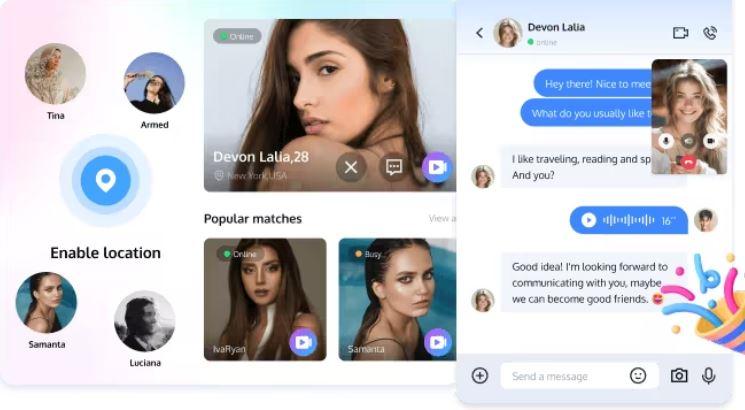
A positive user experience is essential for user retention and engagement. A complicated or hard-to-navigate interface can drive users away. Simplify the design and ensure it’s intuitive. Offering tutorials, tooltips, and easy-to-follow instructions can help new users get started quickly. Regularly gathering feedback from users and adjusting the platform’s design based on their input can significantly improve user satisfaction and overall engagement.
Conclusion
With the abovementioned tips, you can troubleshoot cammatch common issues. However, if you’re planning to build a random video chat platform, Tencent RTC is the ideal solution. With ultra-low latency and features like live streaming, video calls, and chat capabilities, Tencent RTC provides the infrastructure you need to create a reliable, high-performance platform. In the 2024 Magic Quadrant™ for Communications Platform as a Service Tencent RTC was recognized as a Challenger and ranked the highest in Asia, making it an excellent choice for building your video chat platform.