These details of the new, rugged, Archer2 handheld come via the Juniper Systems "Get rugged" blog… Katelyn Heiner shares details, specs, and the hottest features of this latest rugged, data collection handheld solution are shared… enjoy!
Perhaps one of the most noticeable features of the Archer 2 is its extraordinarily bright IllumiView™ display. From conducting customer research, we found that the most important “need” listed by our customers was a bright display that could be easily viewed in direct sunlight. So, in designing the Archer 2, we decided to invest in efforts to improve this feature, which I’ll detail shortly.
We have been very excited with how the new IllumiView™ display has turned out. It is brighter and sharper than any of our previous handhelds, and, according to our product manager, Josh Egan, competitor products “don’t even come close.” Customers are astonished at how bright the Archer 2’s display is, and we’ve even had people whip out their smartphones to compare the clarity of the displays.
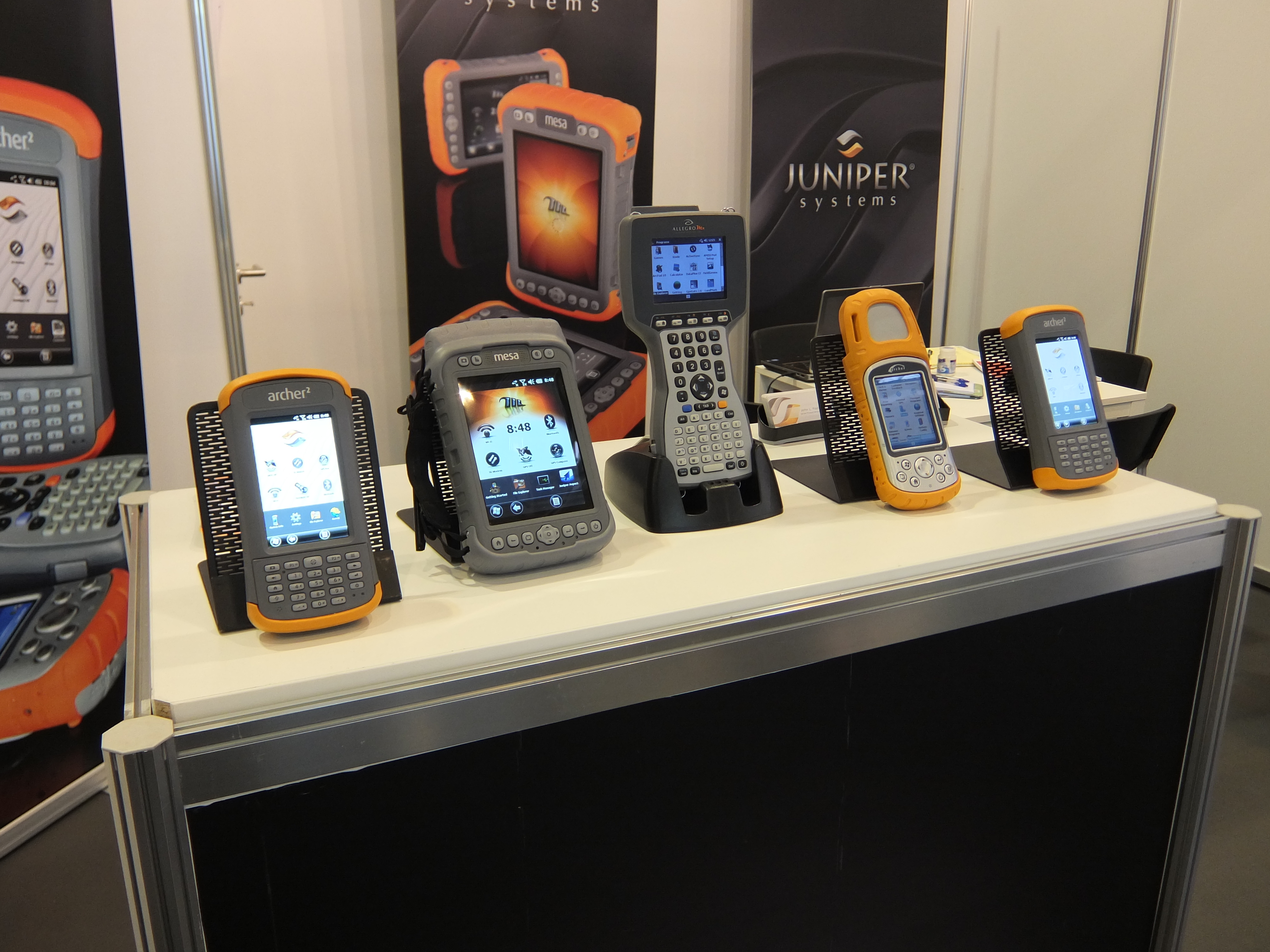
Here is an untouched photo of the Archer 2, as it compares to our other rugged handhelds. You might be tempted to think that the displays on our other handhelds look poor, but they actually perform very well and have excellent readability in direct sunlight; it’s just that the Archer 2’s IllumiView display is that good!
So what’s the story behind this super display? Below, I’ve described the efforts and technology that went into our pursuit of the best display in the industry.
- First, we went on a search for the best display we could find from manufacturers around the world. We sifted through many options until we were satisfied with both the display and the manufacturer, even if it cost us a bit more; we felt the cost was justified. Now, a great display is only part of the equation. You can have a great display, but, if poorly implemented, it won’t look any better than any other display. In order to avoid this, we took several steps to ensure an implementation that would magnify the display’s potential, listed below.
- We switched from using a resistive touchscreen, as we have in the past, to a capacitive touchscreen. While resistive touchscreens have been the prevailing technology used in the rugged handheld industry in the past, capacitive touchscreens have many benefits to offer, and a few manufacturers are beginning to make that transition. Compared to resistive touchscreens, capacitive touchscreens have fewer layers for light to pass through; reducing the amount of light refraction that can occur. Less light refraction means improved luminance and clarity, which is what we were going for. Capacitive touchscreens can increase a display’s brightness about 20% over resistive touchscreens.
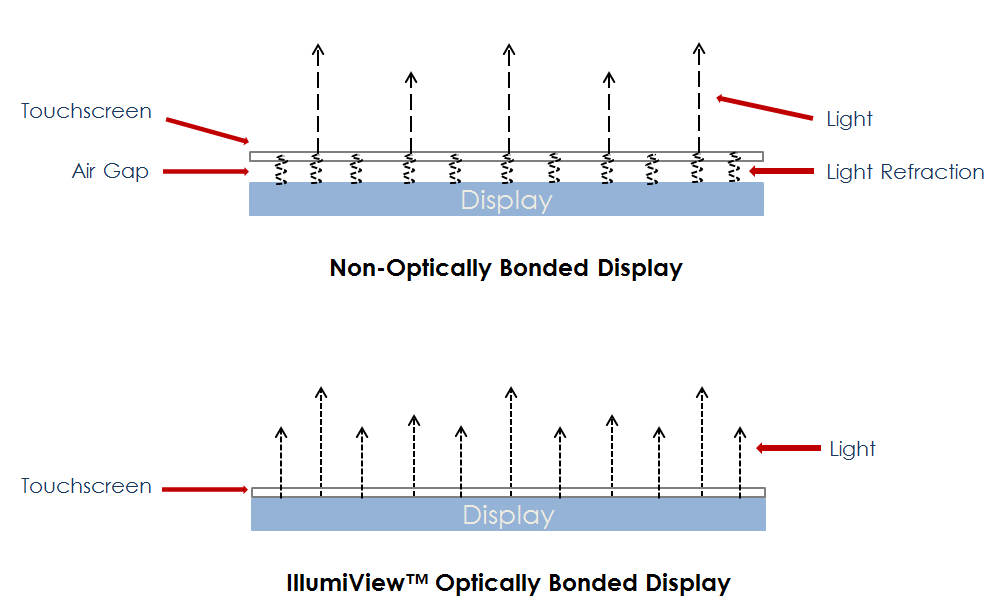
- The third major element that went into creating the IllumiView display is called optical bonding, a special method of fusing the display with the touchscreen. Most rugged handheld displays have an air gap between the touchscreen and display, which allows for light refraction, and thereby decreases brightness and clarity.
However, optical bonding involves attaching the touchscreen directly onto the display, eliminating the air gap and thereby increasing the brightness and image clarity. Optical bonding can increase a display’s luminance by about 15% over a non-optically bonded display.
To optically bond the display, we needed a cleanroom in order to keep out any dust and particles from the bonding process.
Continue reading more about the Archer2 HERE on the Juniper Systems Blog.
You can follow Juniper Systems on Twitter @JuniperSystems