GIS user technology news

News, Business, AI, Technology, IOS, Android, Google, Mobile, GIS, Crypto Currency, Economics

  • Advertising & Sponsored Posts
    • Advertising & Sponsored Posts
    • Submit Press
  • PRESS
    • Submit PR
    • Top Press
    • Business
    • Software
    • Hardware
    • UAV News
    • Mobile Technology
  • FEATURES
    • Around the Web
    • Social Media Features
    • EXPERTS & Guests
    • Tips
    • Infographics
  • Blog
  • Events
  • Shop
  • Tradepubs
  • CAREERS
You are here: Home / * PRESS / Business / Contex Launches Ten How-To Videos for Nextimage Scanning Software

Contex Launches Ten How-To Videos for Nextimage Scanning Software

March 22, 2020 By GISuser

Chantilly, VA  — March 20, 2020 — Contex, the world leader in large format scanning, today announces a series of ten how-to video tutorials for the Nextimage scanning software. The tutorials provide step-by-step instructions to help new and experienced users to boost their scanning workflow while attaining top-quality results with their Contex large format scanners. The tutorials are available at Contex’s YouTube channel. Contex Launches Ten How-To Videos
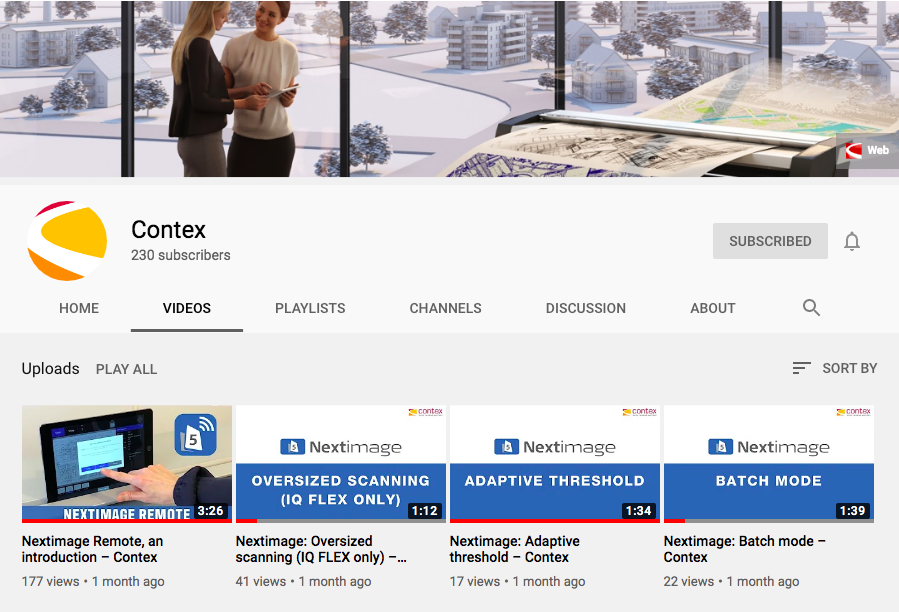
“With today’s circumstances, customers are setting up their large format scanners at home, making these tutorials extremely helpful,” comments Steve Blanken, General Manager, Contex Americas. “These videos provide useful guidance for basic and complex scanning projects, and customers can view them at their own pace. Our customer support team is also readily available to answer any questions that customers may have.”

The Contex video tutorials address the following topics:

  • Batch mode: Tips and tricks on how to get the most out of the batch scanning feature.
  • Adaptive threshold: Learn how to clean up backgrounds in line drawings.
  • Applying borders: Instructions on how to apply borders.
  • Soften/smooth: Tips on how to soften and smooth images.
  • Rotate: Learn how to rotate in 90 degrees segments and fine-adjust with manual rotation increments of 0.1 degree.
  • Auto black and white and creating presets: Learn how to improve scans with auto black and white, and how to make a new preset.
  • Image cropping: Instructions on how to crop and save.
  • Oversized scanning: A comprehensive guide on how to scan oversized documents.
  • Paper handling: Get to know paper handling and the link between speed and image quality.
  • Choosing settings: Guidance for choosing the correct settings, which can drastically speed up the scanning process.

Additionally, Contex published a general video, which shows an overview of the functions and possibilities of Nextimage software for its range of large format scanners.

For more information, visit www.contex.com or email salesamericas@contex.com.

About Contex

As the world’s leading developer and producer of large format imaging solutions, Contex drives the market with innovative technology and advanced scan and copy software applications. Sold worldwide in more than 100 countries, Contex solutions are recognized in a wide range of industries for reliability, value, high performance, and superb image quality. For more information, please visit www.contex.com.

Filed Under: Business Tagged With: Contex, scanning, Video

Top Press

The Global Expansion of Aueshah: A New Era of High Jewelry

April 11, 2026 By GISuser

KARACHI, PAKISTAN. The international luxury market is experiencing a profound shift. Consumers are increasingly rejecting mass-produced goods in favor of rarity, authenticity, and emotional depth. … [Read More...]

State of Data Science Report – AI and Open Source at Work

September 10, 2025 By GISuser

AI and Open Source at Work … [Read More...]

Topcon Announces Landmark Expansion of Topnet Live Network Across USA

January 26, 2025 By GISuser

LIVERMORE, Calif.---Topcon Positioning Systems has announced a significant expansion of its Topnet Live reference station network, introducing 200 new geodetic stations strategically positioned across … [Read More...]

Space Flight Laboratory (SFL) Announces Launch and Deployment of NorSat-4 Maritime Monitoring Microsatellite

January 19, 2025 By GISuser

Seventh Satellite Developed by SFL for Norway … [Read More...]

HERE and BMW Group extend partnership on AI-powered mapping system

January 8, 2025 By GISuser

HERE and BMW Group extend partnership on AI-powered mapping system for automated driving and enhanced road safety … [Read More...]

Everest Base Camp Helicopter Tour, Helicopter Return Trek, and Manaslu Circuit Trek: Which Nepal Adventure Is Right for You?

November 6, 2026 By GISuser

Almost everyone planning a Nepal trip runs into the same wall. You want the big mountains, you have a fixed number of days, and every itinerary you read seems to promise something … [Read More...]

SFL Missions Inc. Confirms Successful Deployment of Six HawkEye 360 Radio Frequency Detection Satellites with Advanced Capabilities

October 27, 2026 By GISuser

MĀHIA, New Zealand, 26 October 2026 – SFL Missions Inc. today confirmed the successful deployment of six radio frequency (RF) detection and geolocation satellites for HawkEye 360 … [Read More...]

Canadian-Built RoadEng 12 Uses AI to Find the Best Location for New Resource and Rural Roads

October 17, 2026 By GISuser

Vancouver, BC, Canada, October 15, 2026 – North Vancouver-based Softree Technical Systems today released RoadEng Version 12, used in more than 75 countries to locate and design … [Read More...]

Beyond the Map: How AI Image and Video Generation Is Changing Geospatial Communication

October 14, 2026 By GISuser

Ask anyone who has shipped a GIS project what the hardest part was, and the answer is rarely the spatial analysis. It is almost always the communication. A site suitability … [Read More...]

From Maternity to Everyday Wear: Building a Wardrobe That Grows With You

October 14, 2026 By GISuser

When I think about maternity clothing, I feel the biggest mistake is buying too many things at once. During pregnancy, your body keeps changing, and something that fits well today … [Read More...]

Copyright gletham Communications 2015 - 2026

Go to mobile version